Cengage Read
- 3.6
- Rating
- 100.00K
- Installs
- Free
- Price

 Analysis by App-foxy
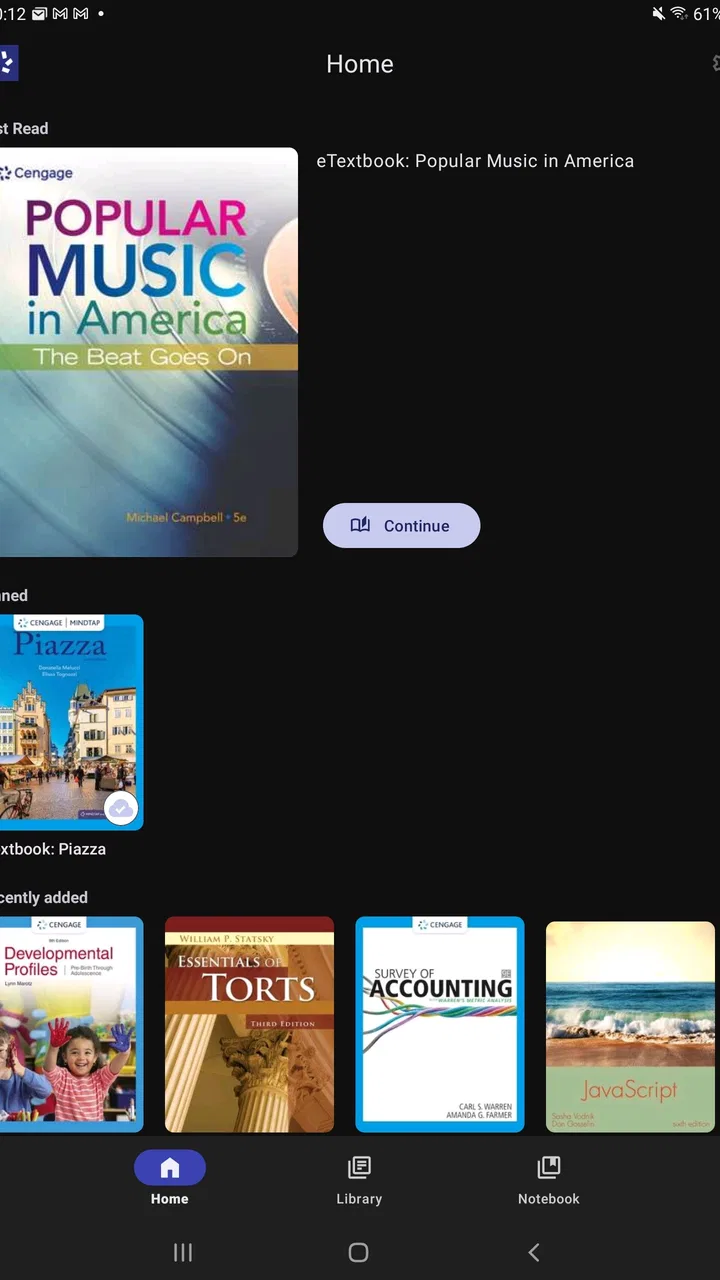
I approached Cengage Read as a practical study tool rather than a full learning platform. It is an education app from Cengage Learning that puts your Cengage eTextbooks on a mobile device, with the main appeal being simple: you can carry course reading with you instead of depending on a physical book or staying at a desk. That makes it especially relevant for students who already use Cengage materials and want a more flexible way to read.
My overall impression is that the app is most useful when you treat it as a focused reading companion. It is not trying to replace every study method, and I would not choose it as a general-purpose note-taking or revision app. Its value comes from keeping assigned reading available during small gaps in the day, such as a commute, a library break, or the few minutes before class. The experience is straightforward, although the usefulness naturally depends on how well your particular eTextbook fits mobile reading.
How Cengage Read feels during everyday study
The first thing I noticed is that the app has a narrow purpose, which is a strength when you already know what you need from it. Rather than presenting a crowded collection of unrelated educational tools, it centers the reading experience around Cengage textbooks. I can see the appeal for a student who wants to review a chapter without carrying a heavy volume between home, campus, and work.
You May Also Like

 Blood Strike: 2.5 Anniversary
Blood Strike’s Loadouts Turn Every Drop Into a Tactical Gamble
A close look at Blood Strike’s custom loadouts: how fast access to signature weapons reshapes its battle royale rhythm, rewards preparation, and narrows the gap between fights.

 Pandora - Music & Podcasts
Pandora’s Music Is Easy to Start, but Harder to Recover
Pandora’s strength is its low-effort path from a seed to a station. Its weak spot is how much confidence it asks you to place in connection, setup, and quiet recovery.

 8 Ball Pool
 Is Built on Rivalries, Rematches, and Routine
A close look at the rivalries, rematches, shared routines, and unanswered safety questions that turn a quick pool match into a persistent mobile community.

 Samsung Music
’s Quiet Strength Is Playing What You Already Own
Its reach comes less from spectacle than from dependable access to a personal library. That simplicity is both the app’s strongest retention engine and its ceiling.

 AccuWeather: Weather Radar
AccuWeather Review: A Quick, Clear Forecast for Everyday Decisions
For everyday plans, the best forecast is the one you can understand quickly. AccuWeather makes rain timing, radar, and local conditions easy to act on, with a few trade-offs.

 Hill Climb Racing
Why Hill Climb Racing Still Turns Crashes Into One More Run
A tiny car, a bumpy hill and one more upgrade: Hill Climb Racing keeps resurfacing because its simple chaos makes every near-miss feel personal.
More From Our News Desk



That focused design also sets the right expectations. This is best understood as an eTextbook reader for studying on the go, not as a replacement for a classroom, tutor, flashcard system, or complete assignment manager. If your course depends on Cengage content, the app can make access more convenient. If you are looking for broad educational content from many publishers, it will feel limited by comparison.
The app is free to install, which removes an initial barrier for students deciding whether mobile reading suits them. However, “free” should not be confused with free access to every textbook. The practical question is whether your course materials are available through your Cengage account or study arrangement. I would check that before building your entire study routine around the app.
Speed expectations when opening and reading
For ordinary reading, I would expect the app to feel lighter than a full learning environment because its central task is displaying textbook content. Moving through a chapter should be less demanding than switching among video lessons, discussion boards, quizzes, and submission tools in a larger course app. That makes it a sensible choice for short study sessions where I want to get directly to the page rather than navigate through several layers first.
Still, textbook pages are not always as simple as plain text. Charts, diagrams, formulas, photographs, and other formatted material can make a digital page feel more demanding than a basic article. On a smaller phone, I would be prepared to zoom or adjust my reading position when a page contains dense academic layouts. A tablet is likely to be more comfortable for long chapters, while a phone is better suited to reviewing a section or checking a passage.
One useful habit is to open the relevant chapter before leaving a reliable connection. I would not wait until the exact moment before class to discover that a title, page, or section needs additional loading. Preparing the reading in advance is a small step, but it makes the app feel more responsive because the study session begins with the material already in mind rather than with setup.
I also think the app works best when I give it one clear task. Opening it to read a defined section is more efficient than treating it like a general dashboard and repeatedly jumping between unrelated resources. Students who prefer a clean, book-like workflow may appreciate that simplicity. Students who need constant cross-referencing with external notes may find themselves moving between apps more often.
What happens during heavier study sessions
The most demanding use case is not a quick page check; it is a long reading block involving several chapters, dense illustrations, and repeated movement through the book. That is where the difference between a phone and a larger screen becomes important. A phone can rescue an unexpected spare moment, but it is not automatically the best environment for two hours of close reading.
For a heavier session, I would divide the work into manageable sections. Instead of leaving a large reading assignment until the night before, I would use the app for a chapter preview, a short review after class, and a final pass over marked or important material in whatever study system I normally use. This workflow reduces the strain of reading dense pages on a small display and makes the mobile format an advantage rather than a compromise.
There is also a practical trade-off between convenience and concentration. Having a textbook on a phone means it is available almost everywhere, but the same device contains notifications and other distractions. I would use a quiet setting or a focus mode during reading, especially when working through technical subjects. The app can make access easier, but it cannot create a distraction-free environment by itself.
Another realistic scenario is the student who has ten minutes before a lecture. I could open the assigned section, skim the headings, revisit a difficult explanation, and arrive with a better sense of what the instructor is about to cover. That is a more convincing use for this app than trying to complete an entire demanding chapter in a crowded public setting.
For exam preparation, I would use Cengage Read as the source for reviewing explanations and examples, then pair it with handwritten notes, a separate revision method, or practice questions. Reading the same pages again can clarify concepts, but rereading alone is not always enough to test whether I can recall or apply them. The app helps with access to the material; it does not turn passive reading into active revision automatically.
Reliability and recovering from interruptions
Reliability matters more in an education app than a polished first impression. A student may open a textbook minutes before an assignment, during a commute, or between classes, so the experience needs to support quick recovery when attention is interrupted. I judge the app most favorably when I use it as a dependable doorway back to course reading rather than expecting it to manage every part of my academic life.
Mobile study is naturally vulnerable to interruptions from low battery, weak connectivity, incoming calls, and accidental app switching. My advice is simple: give the app a short preparation step before an important session. Sign in when you have time, locate the required title, and open the chapter you expect to read. That routine reduces the risk of spending your limited study window searching instead of learning.
I would also avoid assuming that a phone session is automatically recoverable if the app closes unexpectedly. A cautious workflow means remembering the chapter and section you are working on, keeping a note of the page or topic when the material is especially important, and returning to the same location deliberately. This is not glamorous advice, but it is useful for any digital textbook, particularly when a course deadline is close.
The app’s established presence is reassuring to some extent. It has passed the threshold of over one hundred thousand installs and carries an average rating of 3.6 from roughly one thousand ratings, alongside hundreds of written reviews. Those figures suggest a real user base and a mixed but meaningful range of experiences. I would read that as a reason to keep expectations practical: the app is established enough to be familiar, but not so universally praised that every student should assume it will be flawless on every device.
When something goes wrong, the most important recovery question is whether the problem is with the reader, the account, the textbook, or the connection. I would first check the connection and confirm that I am using the correct Cengage credentials. If the issue affects only one title or section, it may be more specific to that material than to the whole reading experience. Keeping a backup plan for urgent coursework—such as access to another approved copy of the material—is sensible, even when the app normally works well.
Device limits and choosing the right screen
The minimum operating system is Android 7.0 or later, so compatibility should be checked before installation, especially on an older phone or a device that has not received recent updates. That requirement is modest, but an operating system that technically qualifies does not guarantee the most comfortable experience. Screen size, available storage, battery condition, and general device age can matter just as much during long reading sessions.
I would choose a phone for portability and a tablet for sustained reading. The phone is ideal when I need to consult a definition, revisit a short passage, or use an unexpected break. A tablet gives diagrams, tables, and multi-column pages more room and reduces the need to zoom. If I were deciding whether to rely on the app for an entire semester, I would base that choice on the type of textbook I use, not just on whether the installation succeeds.
Resource demands are difficult to judge from the app’s basic description alone, so I would avoid assuming that it will behave identically on every device. In practical terms, a dedicated reading app should be less demanding than a feature-heavy course platform, but textbook content can still vary in complexity. If your phone already struggles with ordinary reading apps or has very little free space, a larger device or a desktop option may be the safer primary choice.
Battery use is another everyday consideration. Reading for a short period should fit naturally into a mobile routine, while a long session with a bright screen can affect any phone’s battery. I would lower brightness to a comfortable level, use a charger for extended study, and avoid beginning an important reading block with a nearly empty battery. These habits are especially worthwhile when the app is being used away from home.
The age rating is Everyone, which fits the app’s educational purpose and makes it broadly suitable from a content-classification perspective. That does not mean every textbook is equally simple or appropriate for every learner; course material can still be advanced, technical, or demanding. The rating describes the app’s general content category, while the academic level comes from the individual book.
Where it beats ordinary alternatives
Compared with carrying a printed textbook, the clearest advantage is convenience. I can bring the reading with me without adding the weight and bulk of a physical volume. Printed books remain excellent for uninterrupted concentration, easy page awareness, and handwritten annotations, but they are less flexible when I unexpectedly have only a few minutes available.
Compared with reading a textbook through a general browser, a dedicated app can feel more natural for repeated mobile use. The purpose is clearer, and I am less likely to begin with several unrelated tabs open. On the other hand, a browser or desktop reader may be better when I need a large page, several windows, extensive copying into notes, or a broader view of course resources.
Compared with a full learning-management app, Cengage Read is more specialized. A course platform may be the better place for announcements, deadlines, submissions, grades, and instructor communication. I would not replace those tools with this reader. Instead, I would use the reader for the book and the course platform for everything surrounding the class.
Compared with a generic ebook app, the important distinction is connection to Cengage course material. A general ebook reader may offer a wider range of books and a familiar reading interface, but it may not provide the same direct relationship to a Cengage eTextbook. For a student already working within that ecosystem, specialization is the reason to choose this app. For someone without Cengage materials, the advantage becomes much smaller.
Who should use it and who should look elsewhere
I would recommend Cengage Read to students who already have Cengage eTextbooks, frequently study away from a desk, and want a straightforward way to revisit assigned reading. It is also a good fit for people who prefer dividing study into short sessions rather than waiting for one long block of free time. The app’s free price makes it easy to try, provided the required textbook access is already arranged.
I would be more cautious if your study style depends heavily on writing long annotations directly beside the text, viewing several pages at once, or working with complex diagrams for hours. A printed book, desktop reader, or tablet may be more comfortable in those cases. I would also look elsewhere if you need a broad library of unrelated educational books, built-in tutoring, or a complete system for assignments and exam practice.
The current version is 2.0, and the app was released on January 4, 2023. Those details place it as a relatively modern dedicated reading option rather than an old textbook utility, but they should not be treated as a promise that every device will deliver the same performance. My decision would still depend on the specific course, device, and reading habits involved.
My performance verdict
After considering the way I would actually use it, I see Cengage Read as a useful companion rather than a complete study solution. Its strongest performance quality is focus: it gives Cengage learners a direct route to their reading without asking the app to do unrelated jobs. That focus supports quick reviews, flexible scheduling, and lighter travel between home and class.
Its limitations are equally clear. Mobile reading is not always comfortable for dense chapters, the best experience depends on the screen and device, and the app cannot replace active study techniques or course-management tools. I would prepare important reading in advance, use a larger screen for long sessions, and keep another method for notes and self-testing.
My recommendation is conditional but positive: if your required books are from Cengage Learning and you want dependable access during short study windows, this free education app is worth trying. Its roughly 3.6 average rating tells me to keep expectations realistic rather than expect a perfect experience. For students outside the Cengage ecosystem, or for anyone seeking an all-in-one learning platform, a different option will likely make more sense.
In the end, the app succeeds when it removes one specific obstacle: not having the textbook with you. That is a modest goal, but a genuinely useful one. I would keep it installed for commuting, quick chapter reviews, and last-minute reference, while relying on a tablet, computer, or printed book whenever the material demands deeper, longer concentration.
FAQs for Cengage Read
01What is Cengage Read, and who is it designed for?
Cengage Read is a digital reading application designed to give students access to selected Cengage textbooks and learning materials on a mobile device. It is mainly intended for learners whose school, university, or course provider uses Cengage content. Depending on the title and subscription available, users may be able to read assigned books, browse chapters, and study without carrying a physical textbook.
02Do I need a Cengage account or an access code to use the app?
In most cases, you need to sign in with a Cengage account to access your digital books. Some materials may require an access code, a purchased subscription, or enrollment through an educational institution. Installing the app alone does not necessarily unlock all content. Before downloading, check your course instructions and confirm that your textbook or subscription is supported by Cengage Read.
03Can I use Cengage Read offline?
Cengage Read may allow users to download supported books or chapters for offline reading, which is useful when studying during travel or in areas with an unreliable internet connection. However, offline availability can vary by title, account permissions, and app version. You may need to open the material online first, and certain interactive features, updates, or account checks may still require an internet connection.
04What study features are available in Cengage Read?
The app generally focuses on convenient digital reading, with features that may include chapter navigation, search, bookmarks, highlighting, notes, and adjustable reading options. The exact tools can differ between books and editions. Users should also remember that a digital textbook may not include every activity, test, video, or homework tool found in a separate Cengage learning platform.
05Is Cengage Read free to download and use?
Cengage Read can typically be downloaded without an upfront app-store charge, but access to the books inside the app may require payment, an institutional subscription, or an access code. The total cost depends on the textbook, course package, and region. It is worth checking whether your school already provides access before purchasing anything, especially if you are using a required course title.
Pros
- Digital textbooks and course materials are accessible from one mobile app.
- Useful search tools make it easy to find terms
- chapters
- and references.
- Reading progress can be resumed across supported devices.
- Adjustable text display improves comfort during longer study sessions.
- Helpful for keeping required Cengage resources organized in one place.
Cons
- Access usually depends on having an eligible Cengage purchase or subscription.
- Some books may require downloads that consume considerable device storage.
- Offline availability can vary depending on the title and publisher settings.
- The app is mainly academic and offers little value outside supported courses.
- Older phones may experience slower loading with large digital textbooks.

Cengage Read
Gallery